
A paper visitors’ book is slow and easy to skip. Wageni asks what you decide and tells the host.
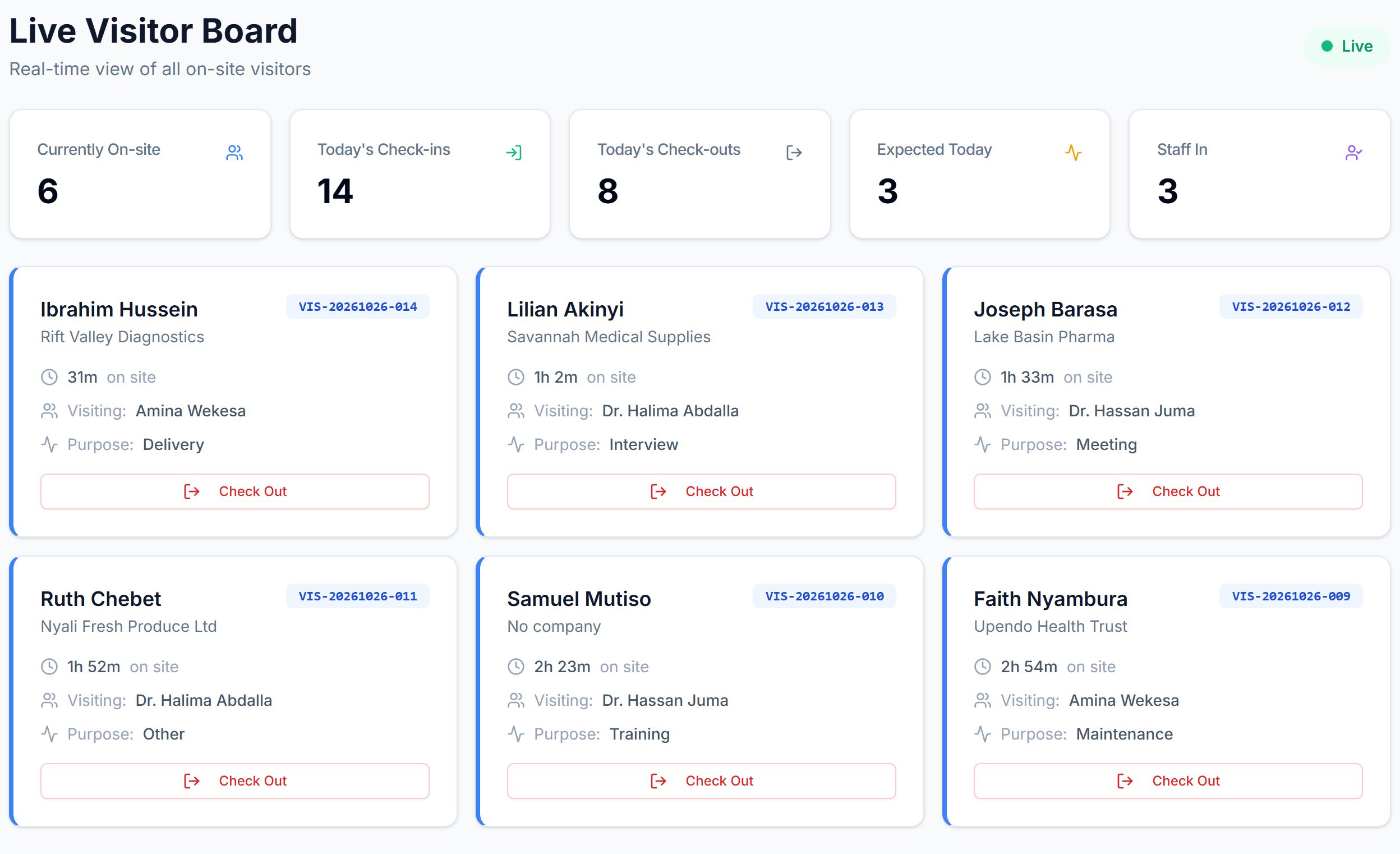

Every desk in this picture has a visitor arriving this morning. Wageni gives each one a screen to check in on.
First, they find their host
Type a visitor’s name to see what they and their host get
Badge number
VIS-20261026-089
- Hassan Host has been emailed that Amina Njoroge is here
- Amina now shows on the On site now board
Type any name. This is what the visitor and the host get.
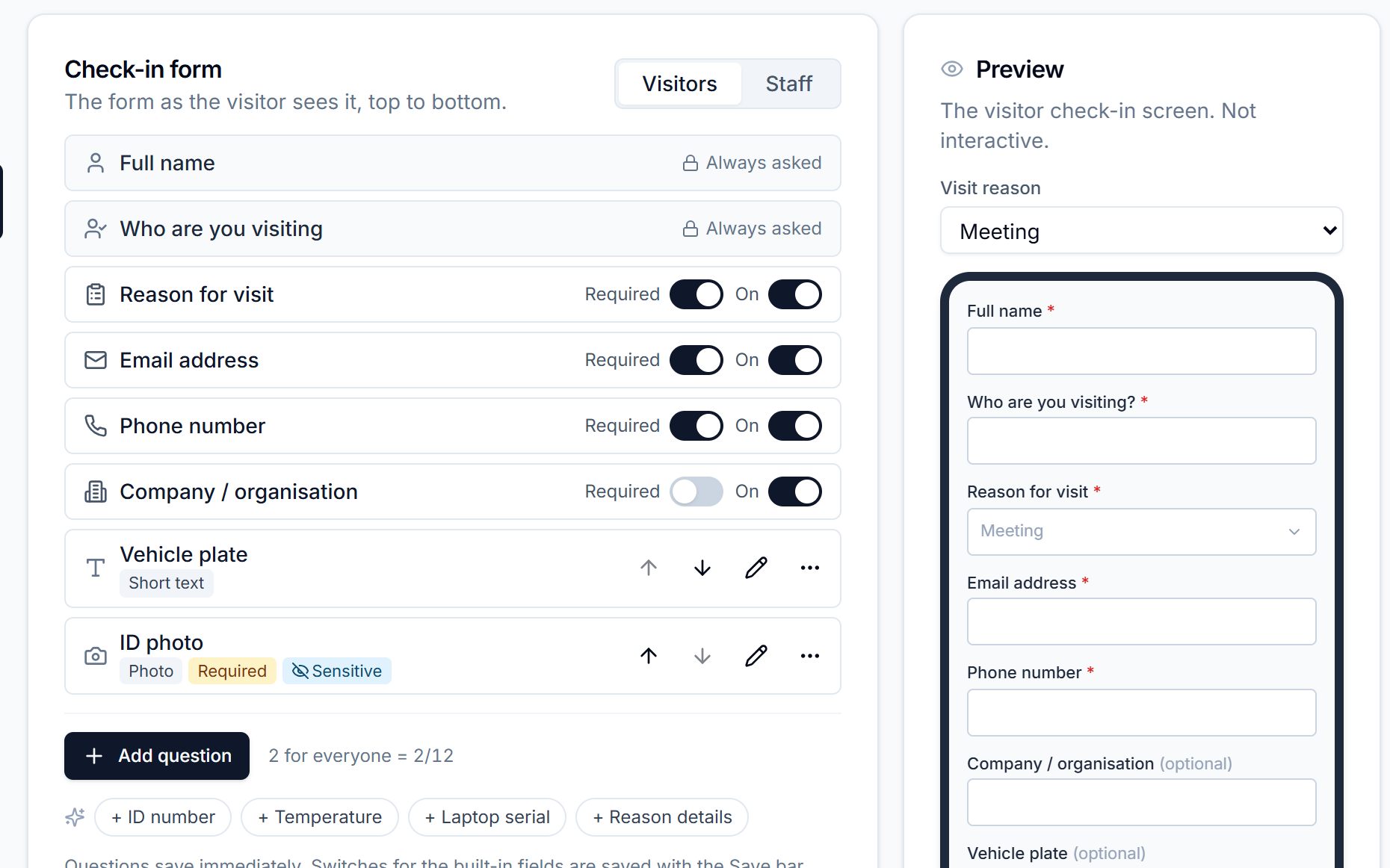
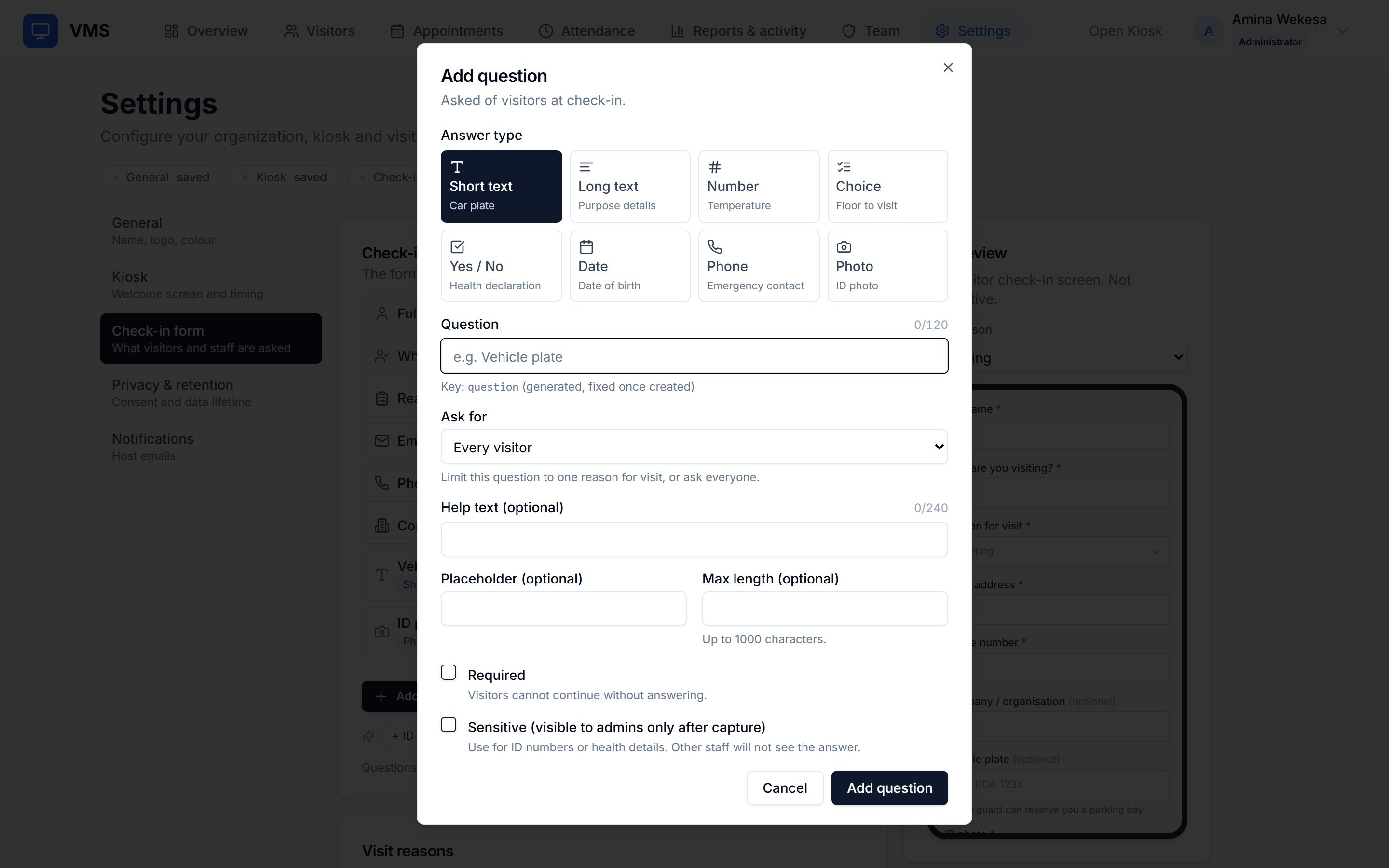
Choose what your kiosk asks, and watch the form change
This is the visitor’s screen. Flip a switch.
Clears itself when nobody is there.
See it run
One screen per role
Admin
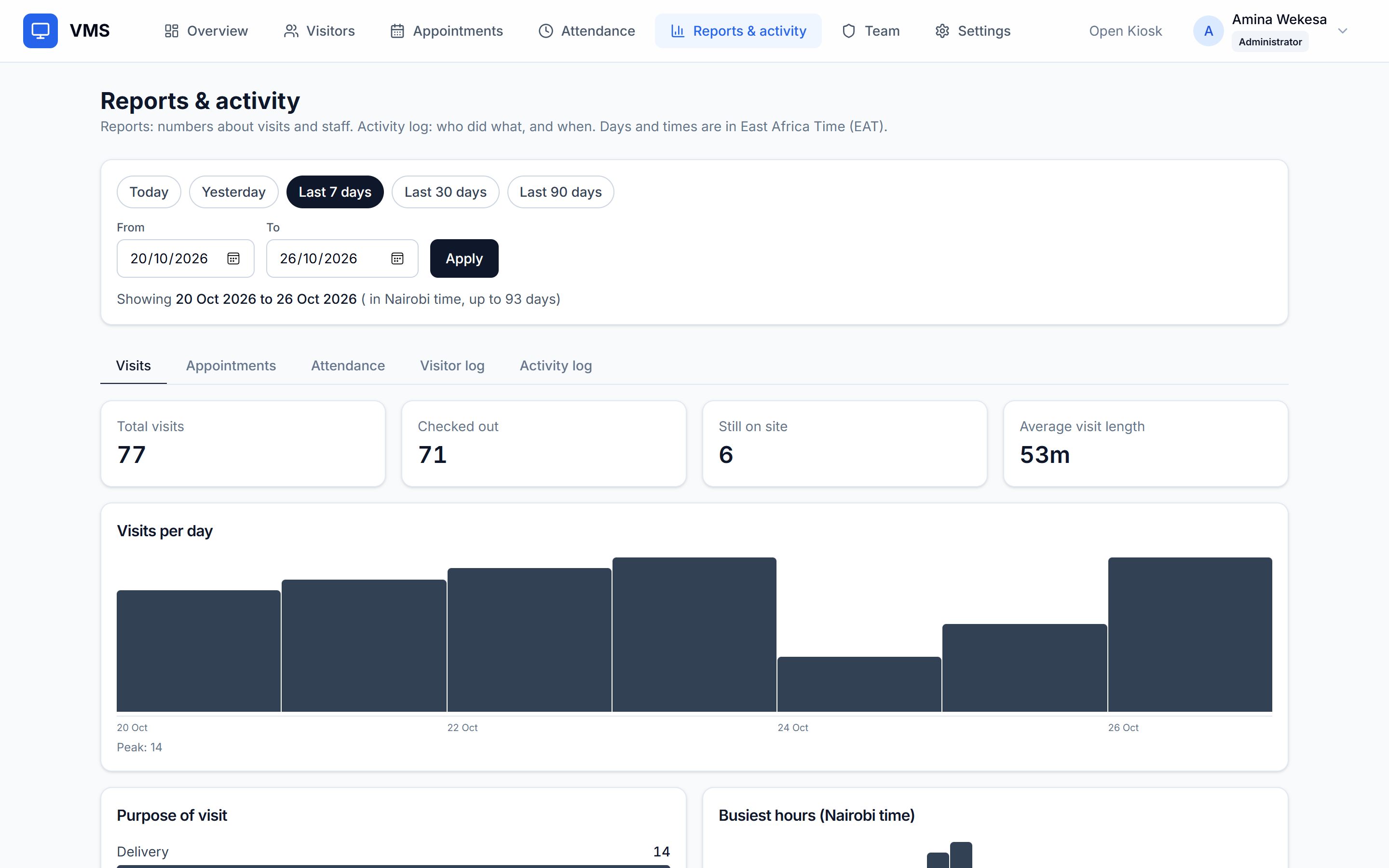
Sees everything, including settings, team, reports and the activity log.
Designs the visitor and staff forms, and sets the consent wording and retention.
Receptionist
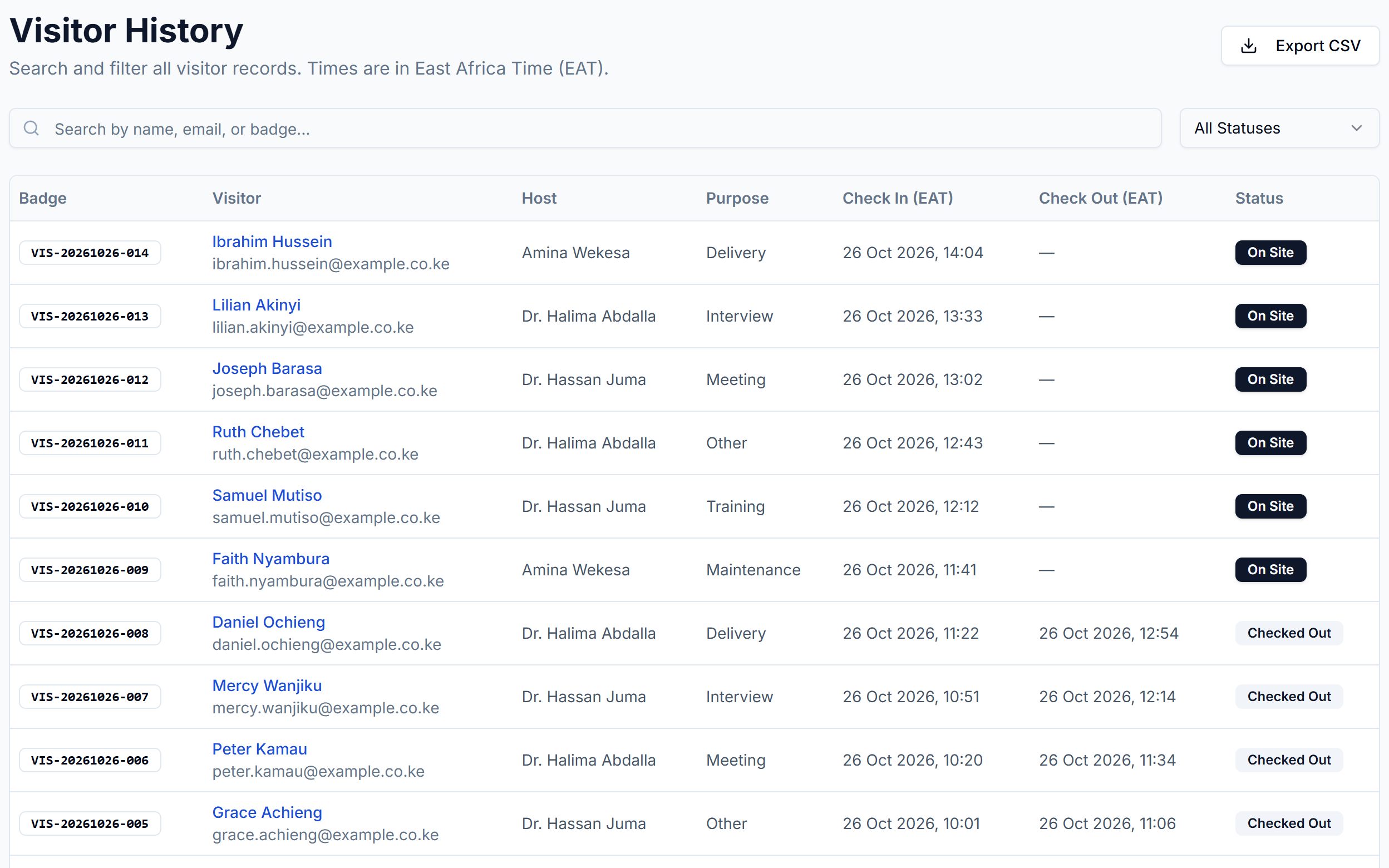
Registers visitors and checks them in and out.
Sees their contact details, and can search and export the visitor log.
Guard
Sees the live list of who is on site now.
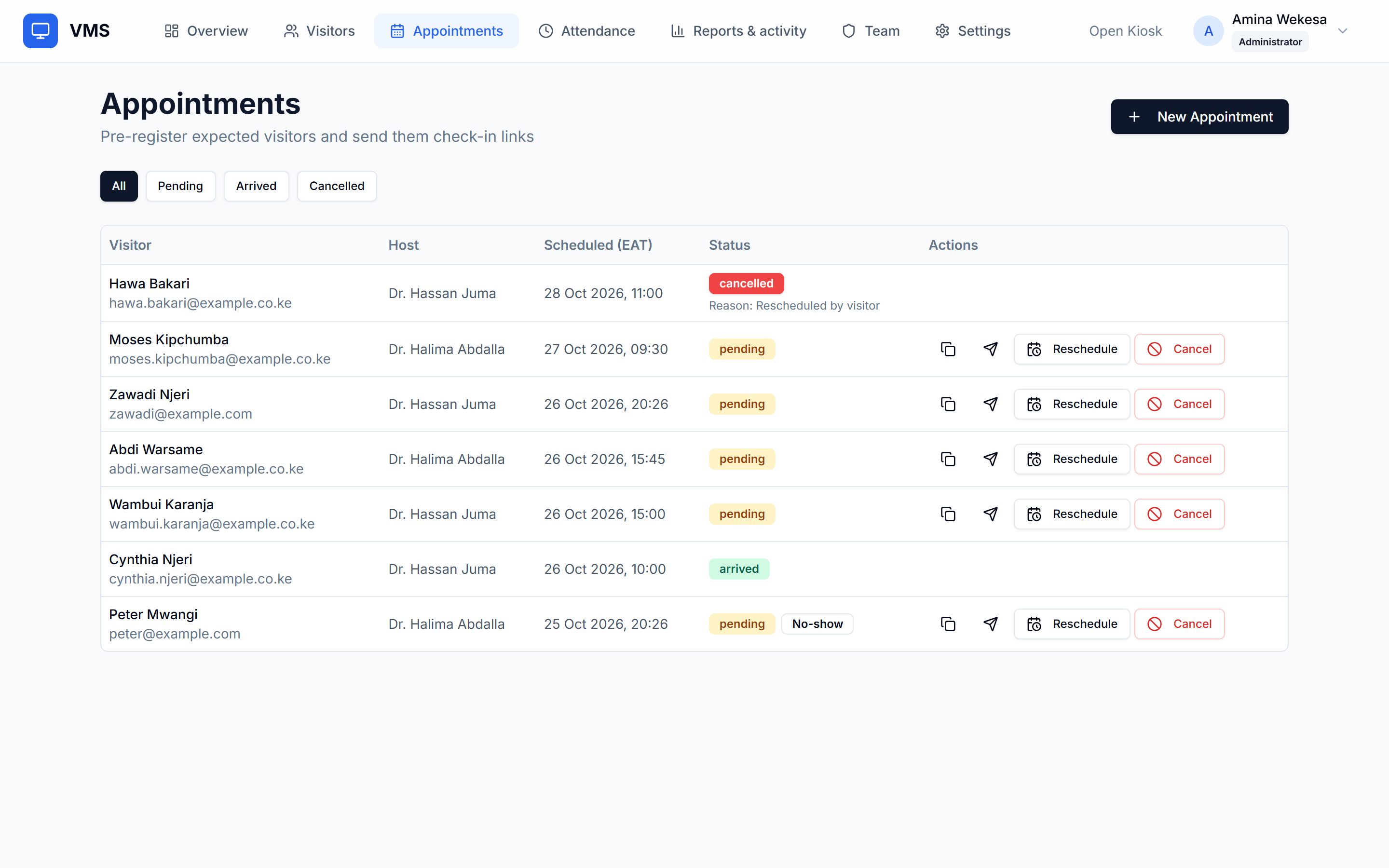
Sees today’s appointments, read-only.
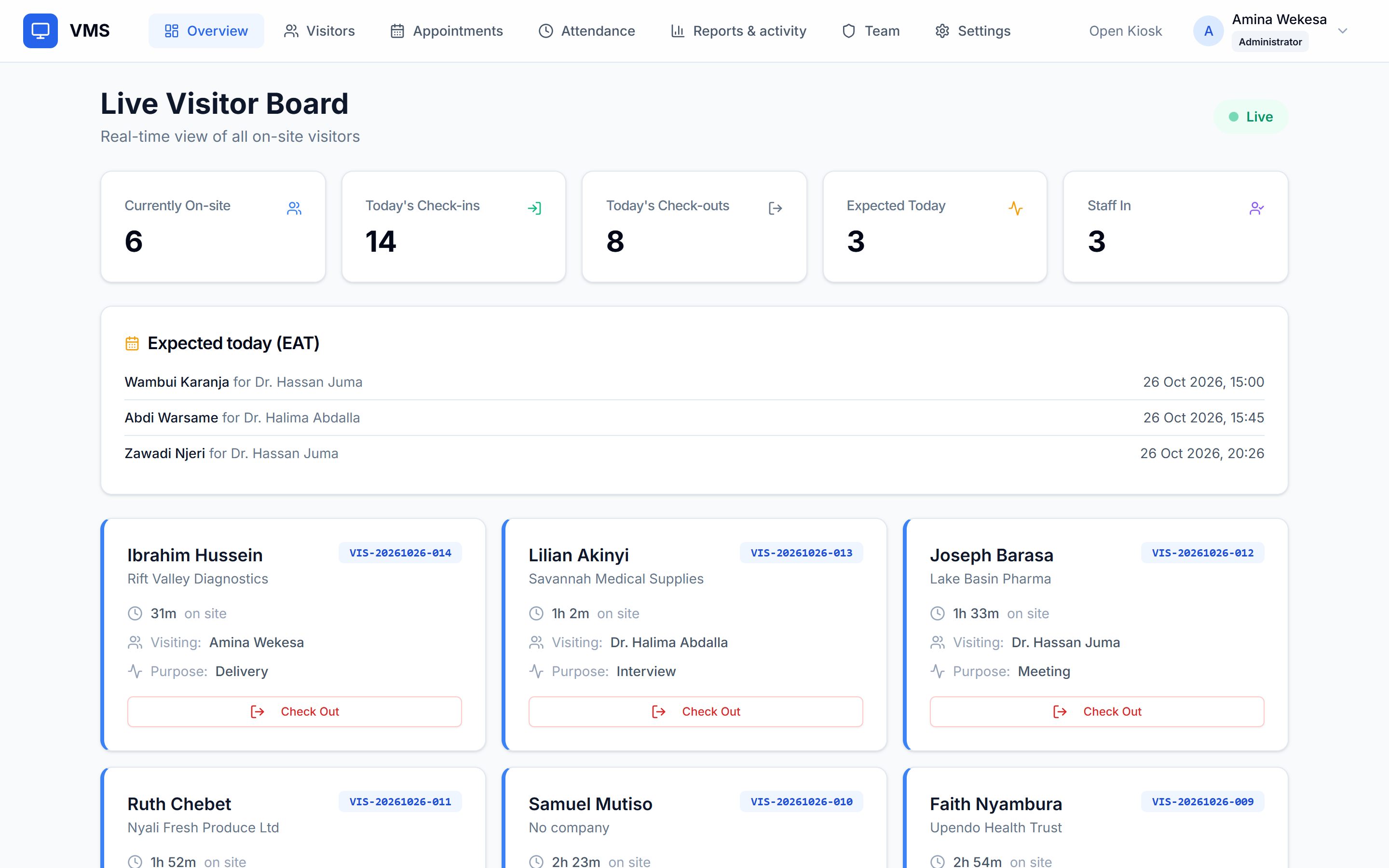
Host
Sees their own visitors and their own appointments.
Gets an email when a visitor arrives, when email is set up.
Privacy you control
- You write the consent wording the kiosk shows.
- Answers you mark sensitive are visible to admins only.
- Photos are private, never public links.
- After the retention period you set, visitor records are anonymised automatically.
Your first 7 days
- Design the form your visitors and your staff will answer.
- Put the kiosk on a tablet at your front desk.
- Invite your team as admins, receptionists, guards and hosts.
- Run your real visitors through it.
- Read the visits, appointments and attendance reports.
We will agree pricing with you before the 7 days end.
Built for the front desks of
offices, schools, clinics, estates, factories, embassies, hotels, warehouses, law firms, universities, co-working spaces and county offices.

Questions, answered plainly
Do visitors need an account?
No. A visitor walks up to the tablet, answers the questions you chose and gets a badge number. There is nothing to sign up for or install. Staff accounts are by invitation only.
What if the internet drops?
The kiosk is a web page, so it needs a connection to check people in. There is no offline mode yet. Keep a paper sheet at the desk for outages and enter those visits afterwards.
Where is our data, and who sees what?
Records live in your own Wageni workspace and only the staff you invite can sign in. Roles decide what they see (admin, receptionist, guard or host). Answers you mark sensitive are visible to admins only, and an activity log records who did what. We will tell you where it is hosted when we set up your trial.
What happens to ID photos?
Photos are private: they are not public links. Mark the question sensitive and only admins can see the answer. After the retention period you set, visitor records are anonymised automatically. Ask for a photo only if you need one.
Can we use our own tablet?
Yes. The kiosk opens in the browser of any tablet, so there is no app to install. It carries your logo, your accent colour and your welcome message.
What does the trial include, and what does it cost?
Pricing is not set yet. The 7-day trial is free and needs no card; we will agree pricing with you before it ends.